Weekly Planning
Weekly Planning for Busy Professionals: How to Turn a Loose Task List into a Realistic Week with AI

Weekly Planning for Busy Professionals: How to Turn a Loose Task List into a Realistic Week with AI
Weekly planning sounds simple until your task list is full of loose ideas, deadlines, meetings, and work that keeps changing. For solo professionals and small teams, the real challenge is not adding more tasks to a calendar. It is deciding what should happen this week, in what order, and with what level of effort.
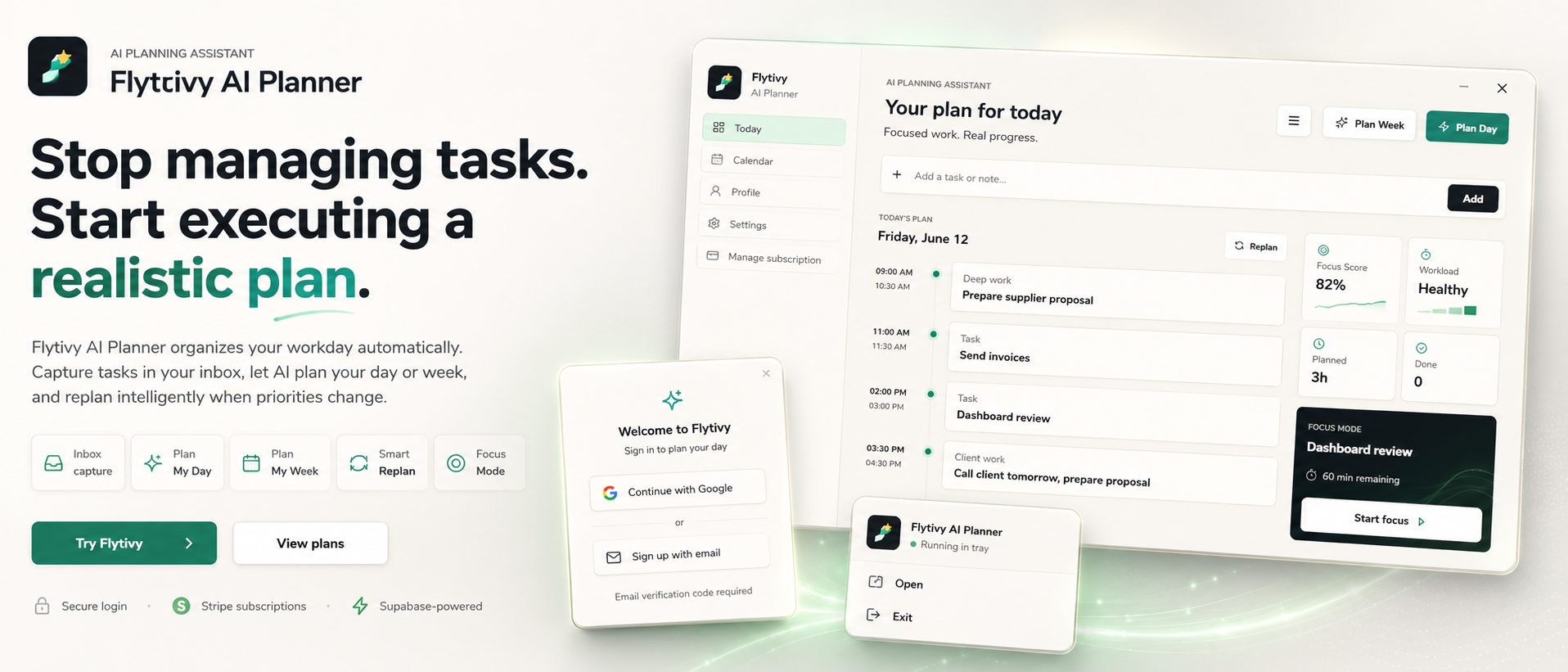
Flytivy AI Planner is designed for that kind of planning. It helps turn scattered tasks into a realistic week plan based on priorities, durations, energy, and context. Instead of manually reshuffling work, you can use AI planning to create a week that is executable and easier to adjust when something changes.
Why weekly planning breaks down
Many people start the week with good intentions and a long list of tasks. The plan usually breaks down for a few common reasons:
- Too many tasks are treated as equally important.
- Durations are guessed instead of planned realistically.
- Meetings and deep-work blocks are not balanced.
- Energy-heavy tasks get placed at random times.
- Unfinished work from the previous week is carried forward without review.
This is where a planning assistant can help. Flytivy is not a generic calendar. It is built to help decide what to do now and how to distribute work across the week in a more practical way.
What AI weekly planning does differently
AI weekly planning is useful when you already know the work, but not the best way to sequence it. With Flytivy, you can capture loose tasks, deadlines, priorities, estimated durations, and energy type, then generate a weekly plan that reflects the constraints of real work.
That can help you:
- turn a broad task list into a week structure,
- identify the most important work first,
- avoid overloading every day,
- keep focus blocks protected,
- and replan unfinished work when priorities shift.
If you want a related workflow for day-level execution, see How to Turn Loose Tasks into a Realistic Daily Plan with Flytivy AI Planner.
A practical weekly planning workflow in Flytivy
Here is a simple way to plan a week with less manual rearranging.
1. Capture the loose work first
Start by entering the tasks you actually need to finish. Include:
- deadline or target date,
- priority,
- estimated duration,
- energy type if relevant,
- and any meeting or timeline context.
The goal is not perfect detail. The goal is enough structure for the planner to make better decisions.
2. Let Flytivy organize the week
Flytivy can turn that task list into a week plan based on the information provided. This helps you move from a pile of obligations to a sequence of work that is easier to execute.
Weekly planning works best when you treat the output as a realistic working draft, not a rigid promise.
3. Protect focus time
Not all tasks deserve the same kind of time. Some require deep work, while others are quick follow-ups, admin, or coordination tasks. A good weekly plan separates those modes instead of scattering them across the day.
Flytivy includes focus-oriented planning views and workload scoring to support that kind of decision-making.
4. Review unfinished work before the week gets crowded
Most weekly plans do not fail on Monday morning. They fail when interruptions, meetings, and new requests accumulate.
When that happens, the best next step is often not to rebuild everything manually. It is to replan the unfinished work based on what is still possible this week.
If that is your main use case, this workflow may also help: How to Replan a Busy Day in Minutes with AI: A Practical Workflow for Solo Professionals.
Where Flytivy fits in the weekly planning process
Flytivy supports weekly planning as an automatic work-planning assistant. The core value is not a static calendar grid. It is helping you decide what to do, when to do it, and what needs to move when the week changes.
Useful parts of the workflow include:
- Plan Week for creating a weekly structure from loose work,
- Replan for unfinished tasks or shifting priorities,
- Coach for checking task conflicts, workload, credits, and next actions,
- Google Calendar import for adding timing context,
- and calendar/Gantt views for reviewing the planned work.
Weekly planning tips for solo professionals and small teams
A realistic week usually starts with constraints, not ambition. Use these habits to make your plan more executable:
Keep a short priority list
Do not schedule every task at the same level of urgency. Separate the work that truly matters this week from the work that can wait.
Match tasks to energy
If a task requires concentration, place it where you are most likely to handle it well. If it is lighter work, keep it in lower-energy parts of the week.
Leave room for change
A fully packed week is hard to maintain. When possible, avoid scheduling every hour.
Replan instead of forcing the original draft
If the week changes, update the plan. Replanning is often faster than trying to salvage the original sequence by hand.
Use the plan as a working guide
The best weekly plan is the one you can actually use. A simple, realistic schedule is usually more valuable than a perfect one that collapses by midweek.
A note on credits and plan limits
Flytivy uses AI credits for planning actions. Plan Day, Plan Week, and Replan each cost 1 AI credit, and each Coach message costs 0.25 credits.
The Free plan includes 30 AI credits per month for each of the first two associated-account months. From month three onward, Free receives 0 new monthly AI credits unless the user upgrades. Pro includes 350 monthly AI credits, and Ultimate includes 900 monthly AI credits.
That makes it easier to choose the right usage pattern for your workflow before scaling up.
When weekly planning is better than daily planning
Daily planning is useful when the day is already close to full and you need execution support. Weekly planning is better when you need to see the bigger picture first.
Choose weekly planning when:
- you have a backlog of loose tasks,
- deadlines are spread across several days,
- you need to balance meetings and focus work,
- or you want to decide which tasks belong in this week at all.
Many users start with weekly planning and then refine the day once the structure is clear.
FAQ
What is AI weekly planning?
AI weekly planning is a way to turn a task list into a realistic week structure using priorities, deadlines, durations, and other planning inputs. In Flytivy, it is designed to support automatic work planning rather than just showing tasks in a calendar.
Is Flytivy a calendar app?
No. Flytivy is not positioned as a generic calendar. It is an AI planning assistant that helps decide what to do and when, while calendar and Gantt views support review and context.
Can Flytivy help if my week changes often?
Yes, Flytivy is designed to support replanning when priorities shift or tasks remain unfinished. That can be useful for busy professionals who need to adjust the plan instead of rebuilding it manually.
Does the Free plan include AI credits?
Yes. Free includes 30 AI credits per month for each of the first two associated-account months. From month three onward, Free receives 0 new monthly AI credits unless the user upgrades.
Can I use Flytivy in English and Spanish?
Yes. Flytivy supports a bilingual English/Spanish UI.
Internal links and next steps
If you want to go deeper into related workflows, explore:
- How to Replan a Busy Day in Minutes with AI: A Practical Workflow for Solo Professionals
- How to Turn Loose Tasks into a Realistic Daily Plan with Flytivy AI Planner
Ready to organize the week in a more realistic way? Plan your day with Flytivy and turn loose tasks into an executable plan.
CTA
Start with a weekly draft, then adjust as the week changes. If you need a calmer way to organize work, Plan your day with Flytivy or use Replan unfinished work when priorities shift.