Daily Planning
How to Use AI Planning to Build a Realistic Day Around Real Work

How to Use AI Planning to Build a Realistic Day Around Real Work
Most people do not have a task problem. They have a planning problem.
The work is already there: follow-ups, client deliverables, admin, meetings, deep work, and the unexpected items that show up during the day. The challenge is turning that loose list into a day plan that is actually executable.
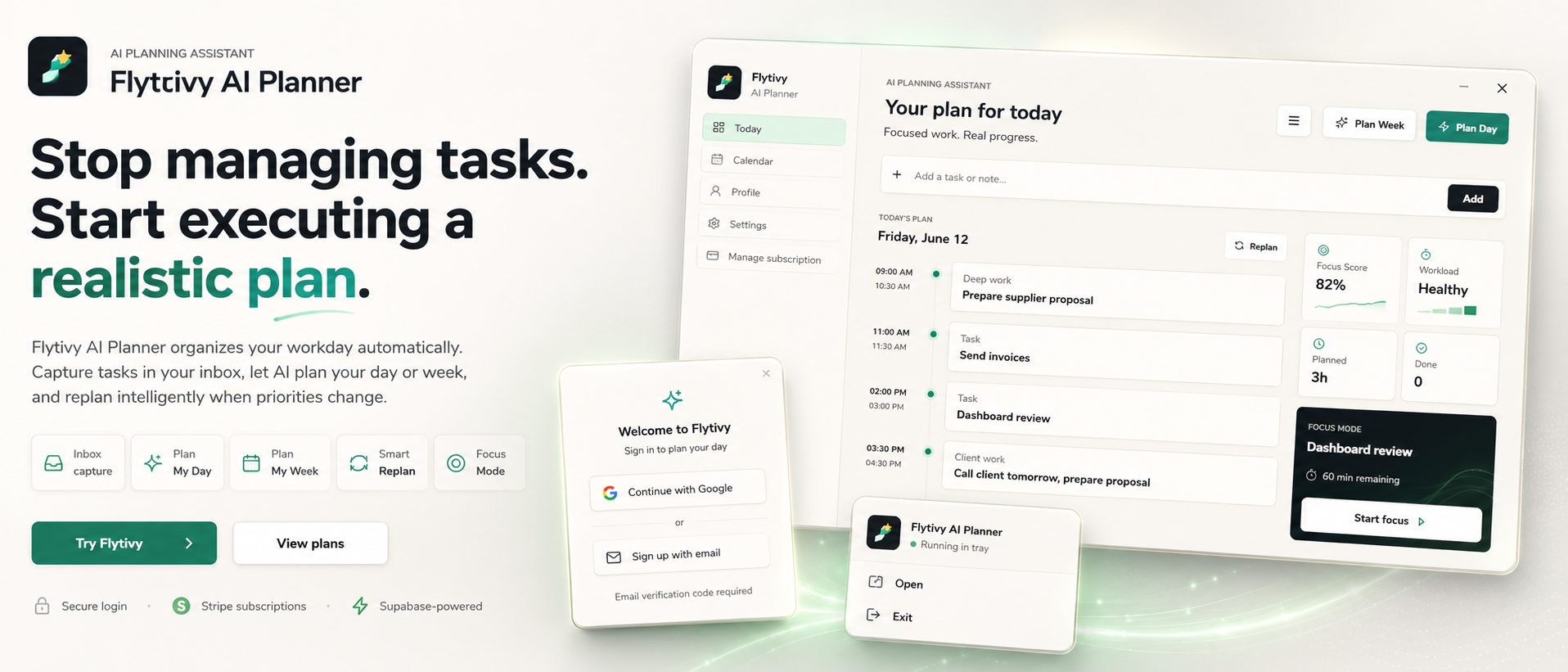
That is where AI daily planning can help. Instead of manually dragging tasks around a calendar, an AI planning assistant can help you decide what to do now, what fits later, and what should wait. In Flytivy AI Planner, the goal is not to act like a generic calendar. The goal is to automatically turn raw tasks into a realistic plan for the day.
If you want to see the product in action, start here: Plan your day with Flytivy.
What AI daily planning is meant to solve
A good daily plan is more than a list of tasks in order.
It should help you:
- choose a realistic number of tasks
- account for task duration
- protect focus time
- consider energy demands
- make room for meetings and interruptions
- know what can move if the day changes
When these factors are ignored, the plan may look organized but fail in practice. AI daily planning helps by using the information you already have: task names, deadlines, priority, estimated duration, and energy type. From there, Flytivy can generate a day plan that is easier to follow than a manually arranged list.
A simple workflow for turning loose tasks into a real day plan
Here is a practical way to use AI planning for your day.
1. Capture the work first
Start with a loose list of tasks. Do not try to perfect it immediately.
Include as much useful context as you can:
- task title
- due date or deadline
- priority
- estimated duration
- energy type or effort level
- anything already fixed on your calendar
This gives the planner enough input to make better decisions. If you only enter vague items, the plan will be vague too.
2. Separate fixed commitments from flexible work
Meetings, appointments, and time-sensitive obligations usually need to stay in place. Flexible tasks can then be placed around them.
This matters because the best plan is not the one that fills every available minute. It is the one that respects the parts of the day that are already spoken for.
3. Let the planner build a realistic order
Once your tasks are captured, Flytivy can help generate a daily plan that is focused on what is executable now.
The app is designed to support decisions such as:
- what should be handled first
- which tasks fit the available time
- which items may be too large for today
- what needs a separate focus block
This is where AI planning becomes useful: it helps convert a messy backlog into a sequence you can work through.
4. Check workload and fit
A plan is only useful if it matches the day you actually have.
Before you start, review:
- whether the workload is too heavy
- whether the day has enough uninterrupted time
- whether high-energy work is placed in better windows
- whether something important should be moved out
Flytivy Coach can help you review tasks, conflicts, workload, credits, subscription state, and next actions. That makes it easier to see why a plan looks the way it does.
5. Replan when the day changes
Even a good plan can break when a meeting runs long or priorities change.
Instead of manually reordering everything, use replanning to rebuild the day from the unfinished work. In Flytivy, Replan is designed for exactly that situation: taking what is left and turning it into a new realistic schedule.
If your schedule changes often, you may also want to read How to Plan a Realistic Week with AI When Your Task List Keeps Changing.
What makes a daily plan realistic
A realistic plan usually has five qualities.
1. It respects time
If a task takes 90 minutes, do not plan it as if it takes 20.
2. It respects energy
Some work needs more focus than other work. A realistic plan places harder tasks where you are more likely to handle them well.
3. It leaves room for surprises
Your day will probably change. A good plan can absorb some of that without collapsing.
4. It is specific enough to start
You should know what to do next without spending 20 minutes deciding.
5. It can be updated quickly
When the plan changes, you should be able to rework it without starting from zero.
Where Flytivy fits in
Flytivy AI Planner is designed for solo professionals and small teams who want automatic work planning instead of another place to store tasks.
The app supports:
- task capture
- day planning
- week planning
- replanning unfinished work
- calendar and Gantt views
- focus mode
- workload and focus scoring
- Google Calendar import
- bilingual English/Spanish UI
- direct task and alarm actions
The main value is not the view itself. Calendar and Gantt are ways to inspect the plan. The core value is deciding what to do now and building a calmer executable schedule around the real constraints of the day.
If you are comparing daily planning approaches, a practical companion article is How to Turn a Loose Task List into a Realistic Daily Plan with AI.
Credit limits to keep in mind
If you are using the Free plan, it is important to understand the credit structure.
Free includes 30 AI credits per month for each of the first two associated-account months. From month three, Free receives 0 new monthly AI credits unless the user upgrades.
Some actions use credits:
- Plan Day: 1 AI credit
- Plan Week: 1 AI credit
- Replan: 1 AI credit
- Coach message: 0.25 credits
Pro includes 350 monthly AI credits, and Ultimate includes 900 monthly AI credits.
If you plan to use AI daily planning regularly, it is worth checking how many planning actions you expect to run each month.
A practical example of daily planning with AI
Imagine you have these items for today:
- send a client proposal
- review two documents
- answer overdue messages
- prepare for a meeting
- finish a small admin task
A manual approach might simply rank them by urgency. But urgency alone does not create a workable day.
A planning assistant can help you consider:
- which task needs deep focus
- which task is short enough to fit between meetings
- which task should happen while energy is higher
- which item can safely move to tomorrow
That is the real value of AI daily planning: it gives structure to the day without pretending every task has the same cost.
Best practices for better AI daily plans
To get better results, use cleaner inputs.
Keep task names clear
Write tasks in a way that makes the next action obvious.
Add duration estimates
Even rough estimates are better than none.
Mark priorities honestly
If everything is urgent, nothing is.
Use energy type when relevant
Some tasks are good for low-energy periods. Others are not.
Replan early instead of late
If the day changes, update the plan before the backlog becomes harder to manage.
FAQ
What is AI daily planning?
AI daily planning is the use of an AI planning assistant to turn loose tasks, deadlines, priorities, and time constraints into a realistic plan for the day.
Is Flytivy just a calendar app?
No. Flytivy is positioned as automatic work planning, not as a generic calendar. Calendar and Gantt are views, while the main value is building a realistic plan and deciding what to do now.
Can Flytivy help when my priorities change during the day?
Yes. Flytivy supports replanning unfinished work so you can rebuild the day when priorities shift.
Does Free include unlimited AI planning?
No. Free includes 30 AI credits per month for each of the first two associated-account months. From month three, Free receives 0 new monthly AI credits unless the user upgrades.
What actions use credits?
Plan Day, Plan Week, and Replan each cost 1 AI credit. Each Coach message costs 0.25 credits.
Next step
If you want a more realistic day plan without manually reshuffling tasks all morning, try Flytivy and build the day around what is actually possible.