Weekly Planning
How to Turn a Loose Task List into a Realistic Week with AI

How to Turn a Loose Task List into a Realistic Week with AI
A lot of weekly planning fails for a simple reason: the task list is not ready for planning. It is usually a mix of deadlines, half-finished work, ideas, meetings, and “should do” tasks that all compete for attention.
That is where AI weekly planning can help. Instead of asking you to manually drag tasks around until the week looks full, an AI planning assistant can turn loose inputs into a realistic week plan based on priority, estimated duration, energy, and remaining capacity.
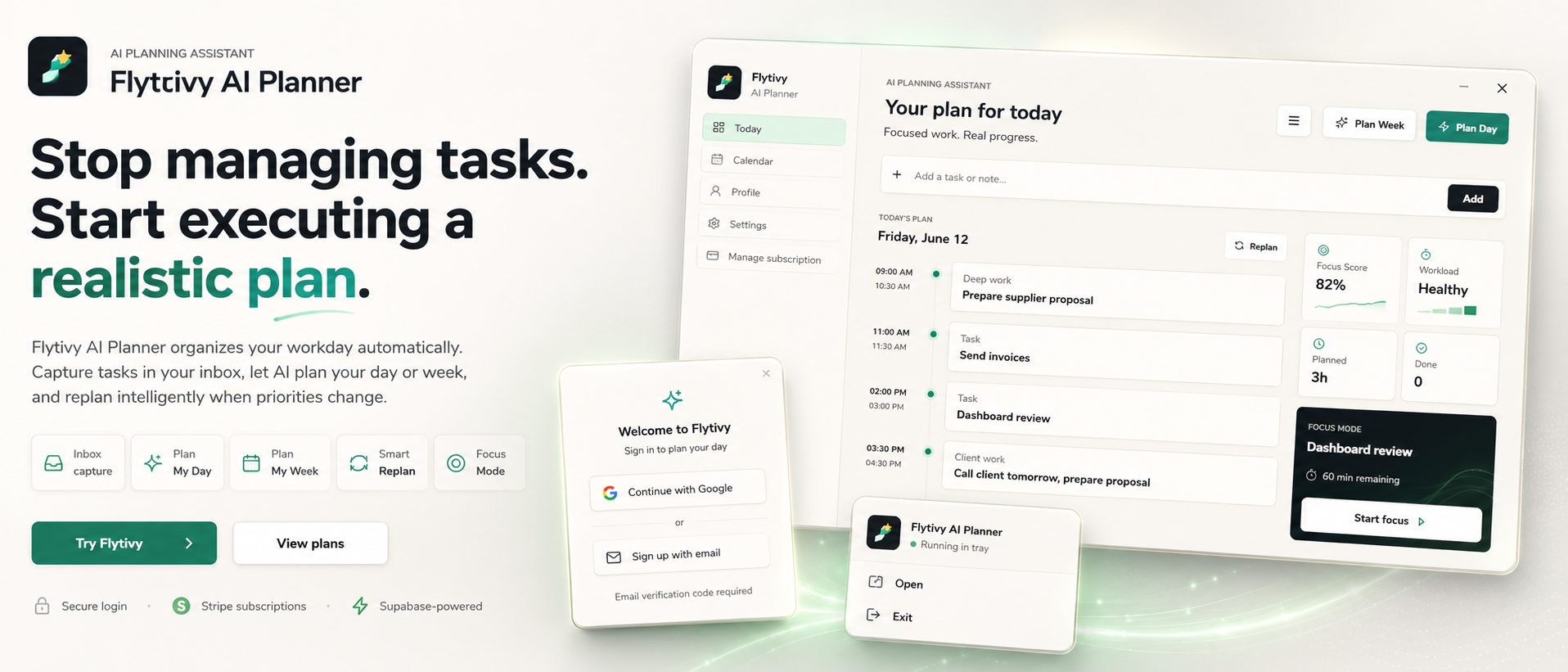
Flytivy AI Planner is designed for that exact workflow. It is not just a calendar view. It helps you decide what to do next, protect focus, and replan when the week changes.
Why loose task lists break weekly planning
Most people do not fail because they lack tasks. They fail because the task list does not answer the real planning questions:
- What matters most this week?
- How long will each task actually take?
- Which work needs high focus?
- What should happen first if time gets tight?
- What can move to next week without breaking the plan?
If you skip those questions, the week can become overloaded very quickly. You may still have a calendar full of blocks, but the plan is not executable.
What AI weekly planning changes
AI weekly planning is useful when you need a planning layer between your task inbox and your calendar.
A good workflow usually starts with:
- Loose tasks
- Deadlines
- Priority levels
- Estimated durations
- Energy type or focus requirement
- Meetings or fixed commitments
From there, Flytivy can help turn those inputs into a week that is more realistic to follow. The goal is not to make the week look busy. The goal is to make it actually doable.
A practical workflow for planning your week with Flytivy
Here is a simple way to use Flytivy AI Planner for weekly planning.
1) Capture everything first
Start by collecting all the work that might belong in the week:
- Client tasks
- Internal work
- Admin items
- Follow-ups
- Deadlines
- Anything already in progress
Do not try to organize everything perfectly before planning. The point is to get the full picture out of your head.
2) Add planning signals
Once tasks are captured, add the information that helps AI make a better weekly plan:
- Priority
- Deadline
- Estimated duration
- Energy type or focus level
- Any timing constraints
The more useful the input, the better the planning output can be.
3) Create the week plan
Use the weekly planning flow to shape the task list into a week that fits reality. Flytivy can help with the decision-making process around what should happen this week and what should wait.
That matters because weekly planning is not only about assigning time. It is about choosing a workable sequence of actions.
4) Review workload and focus
A good weekly plan should not just be full. It should be balanced enough to execute.
Flytivy supports workload and focus scoring, which can help you spot when the week is getting too dense or too fragmented. That gives you a chance to adjust before the plan becomes unmanageable.
5) Replan when the week changes
Weeks rarely go exactly as expected. Meetings move, priorities shift, and unfinished tasks spill over.
That is why replanning matters. When the plan changes, Flytivy can help you replan unfinished work instead of manually rebuilding the whole week from scratch.
When to use day planning vs week planning
Weekly planning works best when you need a broader view of the work ahead.
Use it when you want to:
- Decide what belongs in this week
- Balance deadlines and capacity
- Organize several projects at once
- Prepare for a changing schedule
Day planning is better when you need a concrete execution plan for today.
In practice, many users benefit from both:
- Weekly planning to decide the direction
- Daily planning to choose the next executable block of work
How Flytivy Coach fits into weekly planning
Flytivy Coach can help you review tasks, conflicts, workload, credits, subscription state, and next actions.
That can be useful when you are unsure whether your week is overloaded or when you want help identifying the next step after a planning pass.
Because weekly planning often involves tradeoffs, having a coach-style review can make it easier to catch conflicts before they affect the whole week.
A realistic example of AI weekly planning
Imagine a consultant starts the week with:
- 3 client deliverables
- 2 follow-up calls
- 1 proposal draft
- Admin cleanup
- An overdue task from last week
- Several meetings already on the calendar
Without planning support, that list can easily lead to overcommitment.
With AI weekly planning, the consultant can:
- Capture everything in one place
- Mark the most important deadlines
- Estimate what fits this week
- Separate focus-heavy work from lighter tasks
- Replan the leftover items if the week fills up
That creates a plan that is easier to execute than a simple list of tasks.
Why calendar views alone are not enough
Calendar and Gantt views are helpful for visibility, but they do not solve the core planning problem by themselves.
A calendar shows when something is scheduled.
A planner helps decide what should be scheduled in the first place.
Flytivy’s core value is automatic work planning: turning loose tasks into a realistic schedule and helping you adjust when reality changes.
Credit limits to know before you plan
Flytivy includes AI credit usage, so it helps to plan with the plan limits in mind.
- Plan Day costs 1 AI credit
- Plan Week costs 1 AI credit
- Replan costs 1 AI credit
- Each Coach message costs 0.25 credits
Free includes 30 AI credits per month for each of the first two associated-account months. From month three, Free receives 0 new monthly AI credits unless you upgrade.
Pro includes 350 monthly AI credits, and Ultimate includes 900 monthly AI credits.
If you plan often or replan frequently, those limits are worth considering before the week starts.
Suggested weekly planning checklist
Before you finalize your week, check the following:
- Are your top priorities clear?
- Did you include only the work that can realistically fit?
- Are focus-heavy tasks placed where your energy is best?
- Do deadlines reflect actual urgency, not just noise?
- Did you leave room for changes?
If the answer to any of these is no, the week probably needs another planning pass.
Related guides
If you want to go deeper, these guides can help:
- How to Use AI Planning to Build a Realistic Day Around Real Work
- How to Plan a Realistic Week with AI When Your Task List Keeps Changing
FAQ
What is AI weekly planning?
AI weekly planning is a workflow where an AI planning assistant helps turn loose tasks, deadlines, priorities, and time constraints into a realistic plan for the week.
Is Flytivy just a calendar?
No. Flytivy is positioned as automatic work planning, not a generic calendar. Calendar and Gantt are views, while the core value is deciding what to do now and how to shape a realistic plan.
Can Flytivy help if my priorities change midweek?
Yes. Flytivy supports replanning unfinished work so you can adjust when the week changes instead of rebuilding the whole plan manually.
Does Flytivy work for solo professionals and small teams?
Yes. Flytivy is designed for solo professionals and small teams that need a practical planning assistant for daily and weekly work.
What happens on the Free plan?
Free includes 30 AI credits per month for each of the first two associated-account months. From month three, Free receives 0 new monthly AI credits unless the user upgrades.
Plan a week that matches real capacity
If your task list keeps growing faster than your calendar can handle, start by planning the week around what is actually doable. Flytivy can help turn scattered tasks into a clearer weekly sequence and replan when priorities shift.
Plan your day with Flytivy is the fastest way to get started, or use Replan unfinished work when the week changes and you need a new plan.