Replanning Workflows
How to Replan a Busy Day with AI When Your Priorities Change

How to Replan a Busy Day with AI When Your Priorities Change
When your day changes halfway through, the hardest part is not having more tasks. It is deciding what still fits, what should move, and what should happen next.
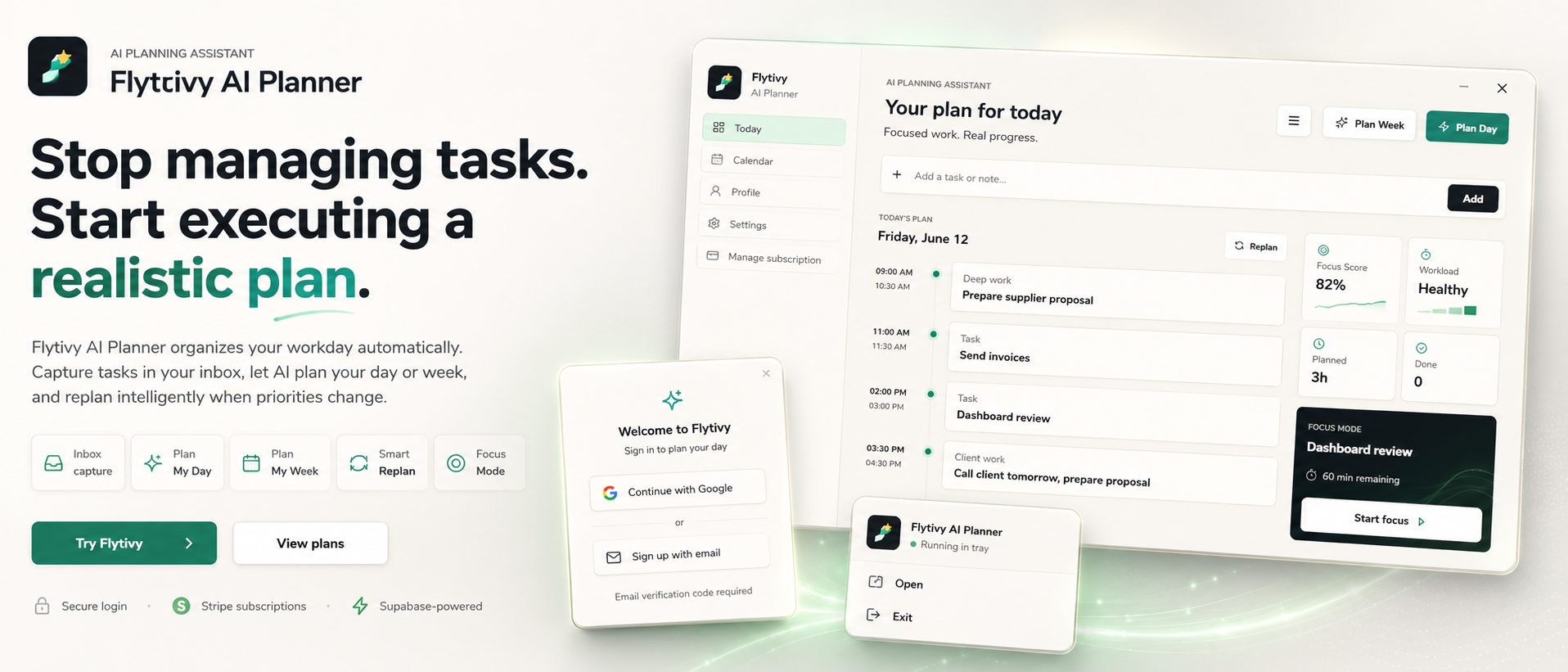
That is where AI replanning can help. Instead of manually reshuffling tasks one by one, you can turn a messy list into a realistic updated plan for the rest of the day. Flytivy AI Planner is designed for that kind of work planning: it helps you capture unfinished tasks, understand workload, and rebuild a schedule that is more executable than a simple calendar block list.
What AI replanning actually means
AI replanning is the process of taking your current task list, deadlines, priorities, estimated durations, and energy needs, then turning that information into a new plan when the day no longer matches the original schedule.
It is useful when:
- a meeting ran long
- an urgent task appeared
- you are behind on one or more tasks
- your energy is lower than expected
- you need to protect focus time for the rest of the day
The goal is not to make the day perfect. The goal is to make the next step clear and realistic.
Why manual rescheduling breaks down
Many solo professionals and small teams try to fix a changing day by dragging tasks around manually.
That often leads to:
- overloading the remaining hours
- ignoring task duration
- forgetting unfinished work
- placing difficult tasks in low-energy periods
- rebuilding the schedule again and again
A calendar can show time. A Gantt view can show sequence. But neither one decides what should happen next. That is the core difference with Flytivy: it focuses on automatic work planning, not just time display.
A practical workflow for replanning the rest of the day
Here is a simple workflow you can use when priorities change.
1) Capture what is still open
Start with the tasks that are unfinished, urgent, or newly added.
Include:
- task title
- deadline or due date
- priority
- estimated duration
- energy type, if relevant
If you use Flytivy, this is the input it uses to generate a more realistic plan.
2) Review the remaining time
Look at the time you actually have left today.
A realistic replan needs to account for:
- meetings already on the calendar
- fixed commitments
- breaks or context switching
- the amount of deep work you can still complete
This helps prevent a plan that looks good on paper but cannot be executed in practice.
3) Rank tasks by urgency and fit
Not every urgent task should go first.
A useful order is often based on a mix of:
- deadline pressure
- task size
- dependencies
- required focus level
- your current energy
If everything feels urgent, this guide on task prioritization can help you sort the list before you replan.
4) Build a new plan instead of a new wishlist
A good replan should leave you with something executable, not just a more organized list.
That means the plan should answer:
- What do I do now?
- What can fit later today?
- What should move to tomorrow?
- What is too large to finish in the remaining time?
Flytivy supports Plan Day and Replan flows for this exact situation. The app turns the tasks you already captured into a fresh schedule that reflects the time you actually have.
5) Protect focus for the most important work
If the rest of the day is crowded, the most valuable move may be protecting one focused block instead of trying to fit everything.
Flytivy uses focus and workload scoring to help shape a schedule that is calmer and more executable. That does not remove work from your day, but it can make the remaining plan easier to follow.
How Flytivy supports replanning
Flytivy AI Planner is built for people who want automatic work planning rather than another place to store tasks.
It supports:
- task capture
- calendar and Gantt views
- focus mode
- workload and focus scoring
- Plan Day
- Plan Week
- Replan
- Google Calendar import
- timeline context for meetings and tasks
- direct task and alarm actions
- bilingual English/Spanish UI
A common workflow is:
- capture tasks as they come in
- review the day with Flytivy Coach
- generate a Plan Day or Replan
- adjust based on what is still realistic
Flytivy Coach can help review tasks, conflicts, workload, credits, subscription state, and next actions.
When to use Plan Day vs Replan
Use Plan Day when you are building the schedule for the day from your current task list.
Use Replan when the day has already changed and you need to reorganize unfinished work.
If you are building a more stable rhythm across the week, this weekly planning guide may be a better next step.
How credits work in Flytivy
Flytivy uses AI credits for planning actions.
A few important details:
- Plan Day, Plan Week, and Replan each cost 1 AI credit
- each Coach message costs 0.25 credits
- Free includes 30 AI credits per month for each of the first two associated-account months
- from month three, Free receives 0 new monthly AI credits unless the user upgrades
- Pro includes 350 monthly AI credits
- Ultimate includes 900 monthly AI credits
If you plan frequently, it helps to know which actions use credits so you can choose the right workflow for the day.
Example: a changing day in practice
Imagine you started the morning with four tasks:
- finish client proposal
- review notes from yesterday
- prepare a meeting agenda
- answer open email requests
Then a meeting ran over and a new request came in.
Instead of manually dragging everything around, you can:
- capture the new request
- mark the proposal as unfinished if needed
- ask Flytivy to Replan the rest of the day
- keep one high-focus task protected
- move the lower-value items to another time
The result is not a perfect day. It is a more realistic one.
Best practices for better replanning results
To get more useful plans, try to provide:
- clear task names
- realistic durations
- actual deadlines, not wishful ones
- energy type when a task needs more or less focus
- any fixed meetings or hard constraints
The better the input, the more practical the plan can be.
Internal links and next steps
If you want to go deeper, these resources may help:
- How to Prioritize Tasks with AI When Everything Feels Urgent
- How to Build a Realistic Weekly Plan with AI When Your Task List Keeps Changing
FAQ
What is the main benefit of AI replanning?
AI replanning helps you turn unfinished tasks and changing priorities into a fresh plan based on the time you actually have left.
Is Flytivy a calendar?
No. Flytivy is designed for automatic work planning. Calendar and Gantt are views, but the core value is deciding what to do now and how to replan work realistically.
Can Flytivy help if my task list keeps changing?
Yes. Flytivy is built for situations where tasks, deadlines, and priorities shift during the day or week.
Does Free include AI credits?
Yes. Free includes 30 AI credits per month for each of the first two associated-account months. From month three, Free receives 0 new monthly AI credits unless the user upgrades.
What should I do before replanning a busy day?
Capture unfinished tasks, note deadlines and durations, check the time left, then rebuild the plan around what is still realistic.
Final takeaway
If your day keeps changing, the goal is not to force every task into place. The goal is to rebuild a plan that matches your time, focus, and energy right now.
Plan your day with Flytivy or use Replan unfinished work when priorities shift and you need a new executable schedule.