Weekly Planning
How to Build a Realistic Weekly Plan with AI When Your Task List Keeps Changing

How to Build a Realistic Weekly Plan with AI When Your Task List Keeps Changing
A weekly plan looks simple on paper: list the work, choose a few priorities, and block the time. In reality, most busy professionals end up with a week that fills too fast, changes midstream, and leaves too many tasks floating from one day to the next.
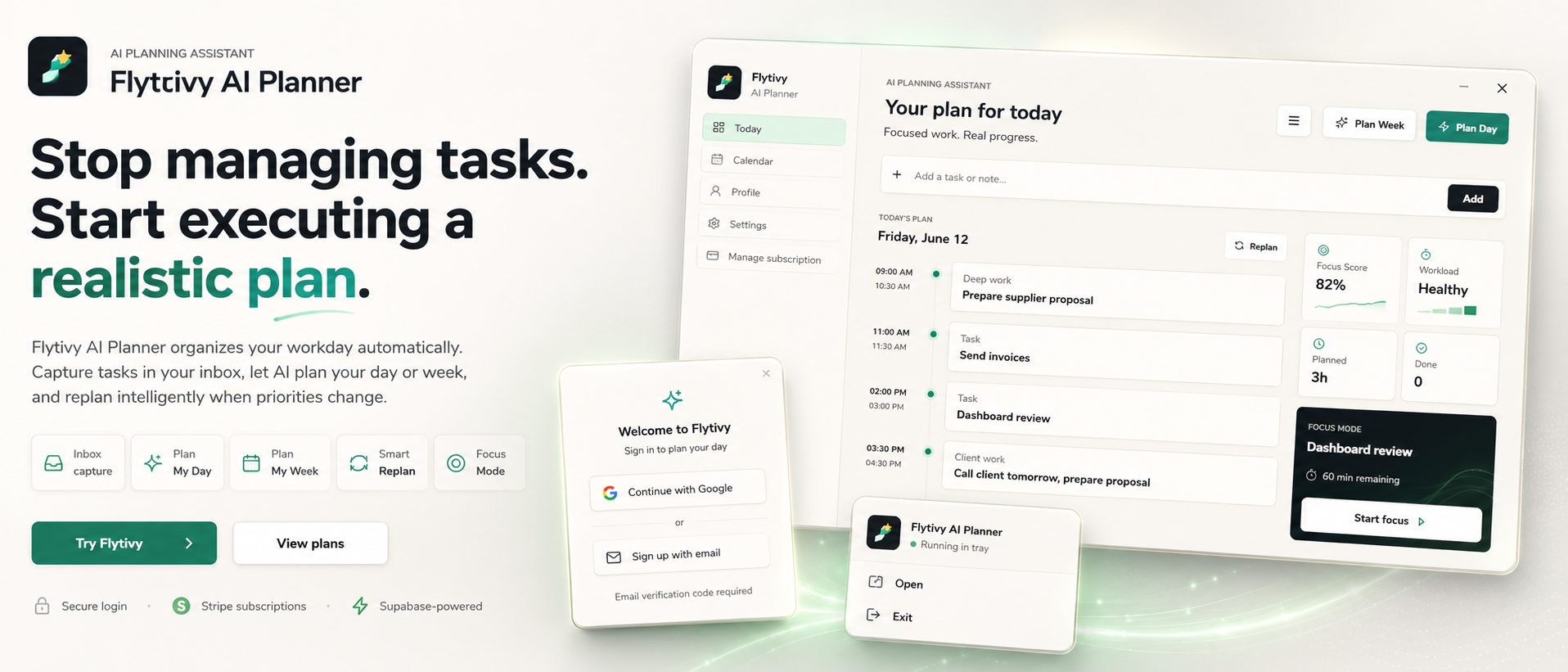
That is where AI weekly planning can help. Instead of treating your calendar like the plan itself, Flytivy AI Planner is designed to turn loose tasks, deadlines, priorities, estimated durations, and energy type into a realistic week plan you can actually work from. It is not another calendar. It is an automatic work-planning assistant that helps decide what to do now, what fits this week, and what needs to move.
In this guide, you will see a practical workflow for building a realistic week with AI, keeping focus time protected, and replanning when the week does not go as expected.
Why weekly planning breaks down for busy professionals
A weekly plan usually fails for a few predictable reasons:
- Too many tasks are treated as equally important
- Duration estimates are missing or too optimistic
- Meetings and context switches take more room than expected
- New work arrives midweek
- Unfinished tasks get pushed forward without a clear next step
When that happens, the week becomes a list of intentions instead of an executable plan.
Flytivy is designed to reduce that gap by helping you organize the work before it hits the calendar. You bring the inputs; Flytivy helps shape them into a realistic plan.
What AI weekly planning should do
A useful AI planning workflow should do more than rearrange tasks. It should help you:
- Capture loose tasks quickly
- Sort work by priority, deadline, and estimated duration
- Consider energy level and focus demands
- Build a week plan that fits available time
- Replan unfinished work when priorities change
- Keep the next action clear instead of leaving everything open-ended
That is the core value of Flytivy AI Planner.
Step 1: Capture the full task picture
Start by collecting the inputs that matter for planning:
- Task name
- Deadline, if any
- Priority
- Estimated duration
- Energy type or focus demand
- Any relevant context, such as a meeting or dependency
The more complete the task data is, the more realistic the resulting plan can be. If you only capture a task title, the planner has less to work with. If you also include duration and energy, it becomes easier to place the work in a week that makes sense.
Step 2: Separate “important” from “urgent”
A weekly plan should not be built only around urgency. A task that is urgent may not be the best task to place first if it requires more focus than your schedule can support.
A better approach is to consider:
- What must happen this week
- What can move without creating risk
- What requires deep focus
- What is low-effort and can fit between meetings
Flytivy supports this kind of planning by using task context, workload awareness, and focus scoring to help you choose a realistic sequence.
Step 3: Turn loose tasks into a week-sized plan
Once your tasks are captured, the next step is to shape them into something executable.
A realistic weekly plan usually includes:
- A small number of high-priority tasks
- Time for meetings and admin work
- Focus blocks for deeper work
- Margin for interruptions
- A clear list of tasks that intentionally stay out of this week
This is where AI planning can help most. Instead of manually dragging tasks around until the schedule looks full, Flytivy helps produce a week plan that respects time, workload, and practical limits.
If you want a more detailed walkthrough of this process, see Weekly Planning for Busy Professionals: How to Turn a Loose Task List into a Realistic Week with AI.
Step 4: Use daily planning to protect the week
A weekly plan is only useful if it can be broken into daily decisions. That is why the best planning systems connect the week view with a clear day view.
At the start of the day, review:
- What is already scheduled
- What is still unfinished from earlier in the week
- Which task should be done next
- Whether the day has too many heavy-focus items
Flytivy’s Plan Day workflow is designed to convert task data into a realistic daily schedule so you are not manually rebuilding your day from scratch.
If you want to go one level deeper, read How to Turn a Loose Task List into a Realistic Daily Plan with AI.
Step 5: Replan unfinished work before it piles up
Even a well-built week will change. Meetings move, tasks take longer than expected, and priorities shift. The question is not whether the plan will change, but how quickly you can adjust it.
Instead of manually reshuffling everything, use a replanning workflow to:
- Move unfinished work forward
- Reassess what still fits
- Preserve the most important focus blocks
- Keep the next steps visible
Flytivy includes a Replan workflow for unfinished work, so you can update the plan without rebuilding the entire week by hand.
Where Flytivy AI Planner fits into the workflow
Flytivy is built for solo professionals and small teams that want automatic work planning rather than a generic calendar interface.
It supports:
- Task capture
- Day and week planning
- Replanning unfinished work
- Calendar and Gantt views as supporting views
- Focus and workload scoring
- Google Calendar import
- Coach guidance for reviewing tasks, conflicts, credits, subscription state, and next actions
If you want a quick start, the main action is here: Plan your day with Flytivy.
A simple weekly planning routine you can repeat
Here is a practical routine you can use every week:
- Capture all loose tasks in one place
- Add deadlines, duration, priority, and energy type
- Identify the tasks that truly need to happen this week
- Let the planner shape a realistic week
- Review the day plan each morning
- Replan unfinished work when the week changes
This routine works best when you keep the inputs current. The goal is not to create a perfect plan. The goal is to create a plan you can follow and adjust.
Free plan and credits: what to know
Flytivy includes a Free plan with 30 AI credits per month for each of the first two associated-account months. From month three onward, Free receives 0 new monthly AI credits unless the user upgrades.
Credit usage includes:
- Plan Day: 1 AI credit
- Plan Week: 1 AI credit
- Replan: 1 AI credit
- Coach message: 0.25 credits
If you plan frequently or want more room for day and week planning, Pro and Ultimate include larger monthly credit allowances.
FAQ
Is Flytivy a calendar app?
No. Flytivy is positioned as an AI planning assistant for automatic work planning. Calendar and Gantt views are available, but the core value is helping decide what to do now and how to build a realistic schedule.
Can Flytivy help with both daily and weekly planning?
Yes. Flytivy supports Plan Day and Plan Week workflows, so you can shape both the week and the next practical day from the same task data.
What happens if my week changes?
You can use Replan to reorganize unfinished work. The goal is to update the plan without manually rebuilding everything from scratch.
Does the Free plan have unlimited AI usage?
No. Free includes 30 AI credits per month for the first two associated-account months, then 0 new monthly AI credits from month three unless the user upgrades.
Can Flytivy import my Google Calendar?
Yes. Google Calendar import is supported, which helps planning happen with more context around meetings and existing commitments.
Soft CTA
If you are tired of reshuffling tasks by hand, try turning your loose list into a real plan with Flytivy. Start here: Plan your day with Flytivy or use Replan unfinished work when the week changes.