AI Planning
How to Prioritize Tasks with AI When Everything Feels Urgent

How to Prioritize Tasks with AI When Everything Feels Urgent
When every task feels urgent, the problem is usually not a lack of effort. It is a planning problem.
A long task list can make it hard to see what matters now, what can wait, and what actually fits into today. That is where AI task prioritization can help: not by magically removing work, but by turning scattered input into a realistic order of action.
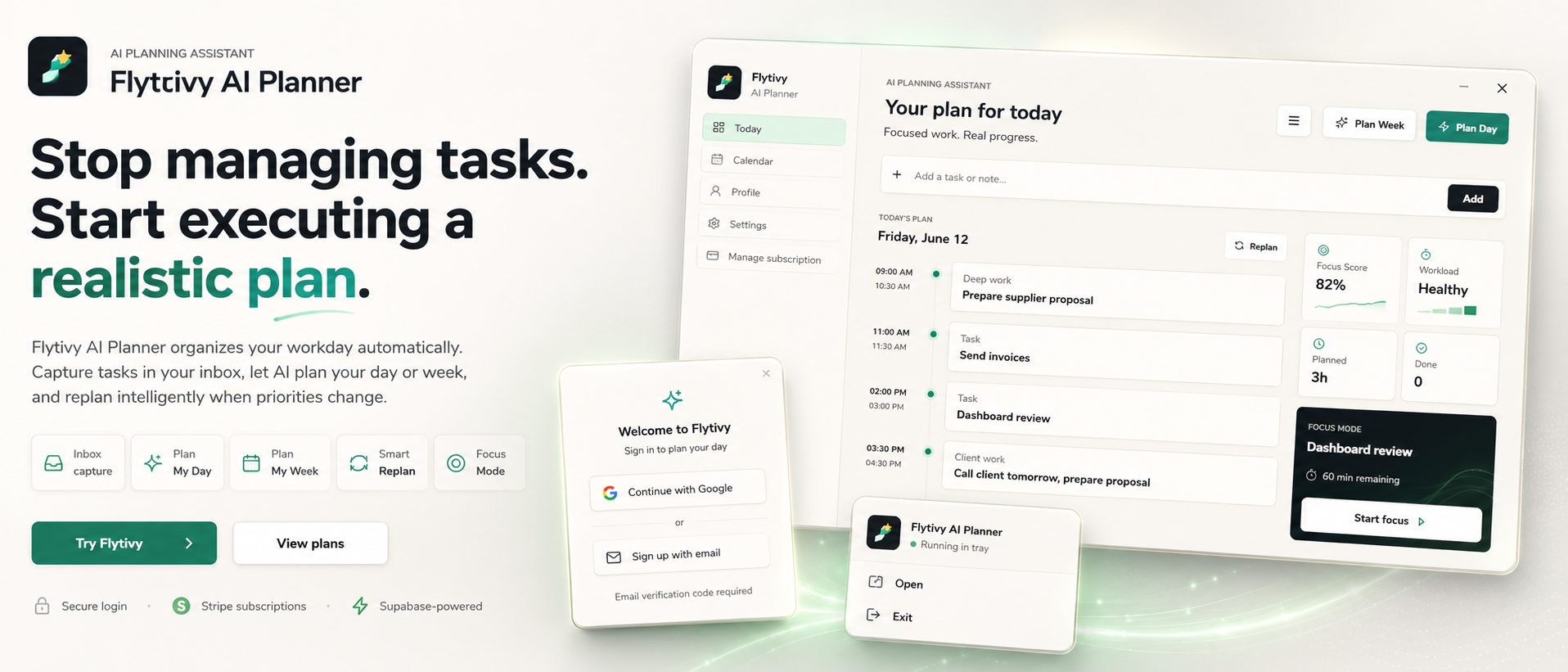
Flytivy AI Planner is designed for exactly that. It helps solo professionals and small teams capture loose tasks, deadlines, priorities, estimated durations, and energy type, then turn that into a plan you can execute today or this week.
What AI task prioritization should do
Good AI task prioritization should help you answer a few simple questions:
- What should I work on first?
- What fits into the time I actually have?
- Which tasks need focus or more energy?
- What should move if something changes?
- What is the next step for unfinished work?
If a tool only stores tasks, you still have to do the hard part manually. If it helps build the plan, you get a clearer starting point.
Why “urgent” tasks often create bad plans
Many task lists feel urgent because they mix different kinds of work together:
- deadline-driven work
- high-focus tasks
- quick admin tasks
- meetings and interruptions
- follow-ups that are important but not immediate
When everything sits in one pile, it is easy to overbook the day. You may try to fit too much into a single block, move work around all morning, and end up with less clarity than you started with.
AI planning helps because it can use the task context you provide — like duration, deadline, priority, and energy type — to build a plan that is more realistic than a manual reorder.
A practical way to prioritize tasks with AI
Here is a simple workflow you can use.
1. Capture tasks as they are
Start by entering the work you already know about:
- task name
- deadline
- priority
- estimated duration
- energy type or focus level
Do not try to perfect the list first. A loose list is enough to start planning.
2. Separate planning from doing
Instead of asking, “What should I remember?” ask, “What should I do now?”
That shift matters. Flytivy is not positioned as a generic calendar. Its core value is automatic work planning: deciding what fits into the day or week, then helping you execute that plan.
3. Let AI build a realistic order
Once the tasks are captured, Flytivy can help create a day plan, week plan, or replan unfinished work.
You can use it to organize:
- high-priority items
- short tasks that fit between meetings
- focus-heavy work during better energy windows
- tasks that need to move because the day changed
4. Review the plan for overload
A good plan should feel executable, not idealized.
Check whether the plan has:
- too many deep-focus blocks
- no room for meetings or admin work
- unrealistic task durations
- tasks scheduled in an order that breaks focus
Flytivy Coach can help review tasks, conflicts, workload, credits, subscription state, and next actions so you can make adjustments before you start working.
How focus and energy improve task prioritization
Not all tasks are equal.
Two tasks might both be important, but one may require concentration while the other can be done in a lower-energy moment. That is why energy type and focus matter in planning.
A practical AI prioritization system should consider:
- focus-intensive work for protected blocks
- lighter tasks for lower-energy windows
- time-sensitive tasks before flexible ones
- unfinished work that needs a clear next step
Flytivy includes focus-oriented planning signals so the schedule is based on more than just deadlines.
When to use day planning vs. week planning
Use a day plan when you need to decide what happens now.
Use a week plan when you need to spread work across several days and avoid overload.
Use replanning when the day changes and some tasks no longer fit.
If you want a deeper walkthrough, these related resources may help:
- How to Use AI Planning to Build a Realistic Day Around Real Work
- How to Turn a Loose Task List into a Realistic Week with AI
A simple example of AI prioritization in practice
Imagine your list includes:
- a client follow-up due today
- a proposal draft due tomorrow
- two short admin tasks
- a report that needs deep focus
- a meeting later in the afternoon
A manual approach might just sort by urgency and try to do the biggest task first.
An AI planning workflow can do more than that. It can help you place the report in a protected focus block, fit short admin work into smaller windows, schedule the follow-up early, and leave room for the meeting without assuming the whole day is fully available.
That is the difference between a task list and a workable plan.
What Flytivy AI Planner helps you do
Flytivy is built to help users move from loose tasks to executable planning.
It supports:
- task capture
- day planning
- week planning
- replanning unfinished work
- calendar and Gantt views
- workload and focus scoring
- Google Calendar import
- meeting/task timeline context
- direct task and alarm actions
- bilingual English/Spanish UI
The goal is not to replace your judgment. It is to reduce the manual work of deciding what fits next.
Free, Pro, and Ultimate usage notes
Flytivy’s Free plan includes 30 AI credits per month for each of the first two associated-account months. From month three, Free receives 0 new monthly AI credits unless the user upgrades.
Usage is credit-based:
- Plan Day = 1 AI credit
- Plan Week = 1 AI credit
- Replan = 1 AI credit
- Each Coach message = 0.25 credits
Pro includes 350 monthly AI credits, and Ultimate includes 900 monthly AI credits.
If you plan frequently or replan often, a higher tier may fit better.
How to start with Flytivy
A simple starting point is:
- capture your loose tasks
- mark deadlines and priorities
- add estimated durations and energy type where useful
- generate a day or week plan
- replan when work changes
If you want to try it, start here: Plan your day with Flytivy
FAQ
Is Flytivy a calendar?
No. Flytivy is designed as an AI planning assistant. Calendar and Gantt are views, but the core value is automatic work planning.
Can Flytivy help me decide what to do first?
Yes. It is built to help organize loose tasks into a realistic order based on the context you provide, such as priority, duration, deadline, and energy type.
What if my day changes after I make a plan?
You can use replanning to reorganize unfinished work when priorities shift or the day becomes less available.
Does Free include unlimited AI planning?
No. Free includes 30 AI credits per month for each of the first two associated-account months. From month three, Free gets 0 new monthly AI credits unless the user upgrades.
Can Flytivy replace my judgment?
No. It is designed to support planning decisions, not replace them.
Final takeaway
If everything feels urgent, the answer is usually not to work harder at the task list. It is to turn the list into a plan that fits real time, real energy, and real constraints.
That is what AI task prioritization should do: help you decide what comes first, what fits today, and what needs to move.
If you want to get started, use Flytivy AI Planner to plan your day, or replan unfinished work when priorities change.