Replanning Workflows
How to Replan a Busy Day with AI When Priorities Change

How to Replan a Busy Day with AI When Priorities Change
A busy day rarely stays the same for long. Meetings run over, urgent requests appear, and the tasks you thought were next suddenly move down the list. That is where AI replanning becomes useful: not to magically remove interruptions, but to help you turn changing priorities into a plan you can actually follow.
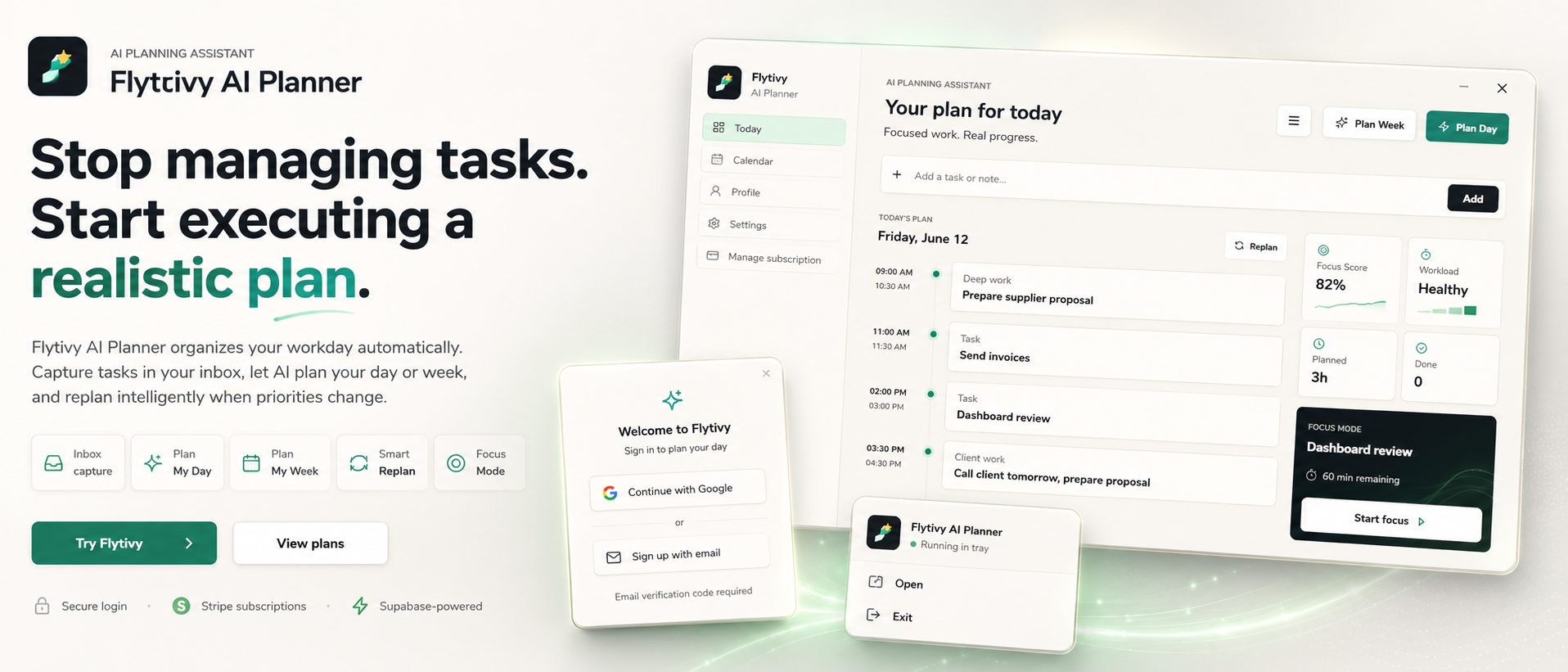
Flytivy AI Planner is built for this kind of day. It is not a generic calendar. It is an AI planning assistant that helps you take loose tasks, deadlines, priorities, estimated durations, and energy type, then turn them into a realistic day plan or a replan for unfinished work.
When a day needs replanning
Replanning is useful when your original plan no longer matches reality. Common situations include:
- A meeting takes longer than expected
- A client request becomes urgent
- You finish less work than planned
- A high-focus task needs more energy than you have left
- You realize the order of work no longer makes sense
Instead of manually dragging tasks around, you can use Flytivy to rebuild the day around what still fits.
What AI replanning should do
A practical replanning tool should help you answer a few simple questions:
- What is still unfinished?
- What is now most important?
- How much time do these tasks actually need?
- Which tasks match your current focus and energy?
- What can move to later without breaking the day?
Flytivy uses this kind of input to create a clearer next step. The goal is not to create a perfect schedule. The goal is to create a schedule that is executable.
A simple workflow for replanning your day
Here is a practical way to replan when your day changes.
1. Capture the remaining work
Add the tasks that still need attention, along with any deadlines or time constraints. If you already have a messy task list, that is fine. Flytivy is designed to work with loose task capture.
2. Mark what changed
Identify the new situation:
- Which meeting moved?
- Which task became urgent?
- Which work can wait until tomorrow?
- What time is still available today?
This helps the planner rebuild around real constraints instead of assumptions.
3. Use estimated durations and energy type
Some work is short and light. Other work requires uninterrupted focus. When you provide duration and energy context, Flytivy can produce a more realistic plan for the time you actually have left.
4. Rebuild the remaining day
Use the replan flow to reorder unfinished work into a new sequence. The result should help you decide what to do now, what comes next, and what should be deferred.
5. Review the new plan in context
Flytivy supports calendar and Gantt views, but the core value is the plan itself. You can review your schedule alongside meetings and task context to understand whether the updated plan still fits the rest of the day.
Why this works better than manual reshuffling
Manual replanning often fails because it focuses on moving items instead of rethinking the day.
A better replanning workflow considers:
- task priority
- available time
- estimated effort
- focus level
- energy demands
- unfinished work from earlier in the day
That is especially useful for solo professionals, founders, consultants, project leads, remote workers, and small teams who need a plan that adapts quickly.
How Flytivy supports replanning
Flytivy AI Planner is designed to support real work planning with tools such as:
- task capture
- Plan Day
- Plan Week
- Replan
- focus mode
- workload and focus scoring
- Google Calendar import
- meeting/task timeline context
- direct task and alarm actions
- bilingual English/Spanish UI
If your day changes, you can use Flytivy AI Planner to rebuild the remaining work into something more realistic.
Credits and plan limits to keep in mind
Flytivy uses AI credits for planning actions and Coach messages.
- Plan Day, Plan Week, and Replan each cost 1 AI credit
- Each Coach message costs 0.25 credits
- Free includes 30 AI credits per month for each of the first two associated-account months
- From month three, Free receives 0 new monthly AI credits unless the user upgrades
- Pro includes 350 monthly AI credits
- Ultimate includes 900 monthly AI credits
If you use replanning often, it can be worth checking whether your current plan matches your usage.
A practical example of a day replan
Imagine you started with a plan like this:
- write proposal draft
- answer client email
- prepare slide deck
- review project notes
Then a meeting runs long and a client request arrives. Your original order no longer works.
Instead of trying to keep the same sequence, you can replan around the updated situation:
- finish the client email first if it is time-sensitive
- move the proposal draft to the next focus block
- split the slide deck into a smaller next action
- defer project review if there is not enough energy left today
That kind of adjustment is what AI replanning is meant to support.
Related guides
If you want to go deeper on planning decisions, these resources may help:
- How to Prioritize Tasks with AI When Everything Feels Urgent
- How to Turn a Loose Task List into a Realistic Week with AI
FAQ
### What is AI replanning?
AI replanning is the process of taking unfinished or changed work and rebuilding the plan around new priorities, available time, and task context.
### Is Flytivy a calendar app?
No. Flytivy is an AI planning assistant. Calendar and Gantt views are part of the experience, but the core value is automatic work planning.
### When should I use Replan?
Use Replan when your day changes, tasks remain unfinished, or your original schedule no longer fits the time and energy you have left.
### Does Flytivy automatically know my deadlines and meetings?
Flytivy can use the information you provide and supports Google Calendar import and meeting/task timeline context. It does not infer external live data that you did not connect or enter.
### How many credits does Replan use?
Each Replan action costs 1 AI credit.
Soft CTA
If your schedule keeps changing, try rebuilding it instead of forcing it to stay the same. Replan unfinished work with Flytivy and turn loose tasks into a realistic next step.
Internal link suggestion
For a more foundational workflow, read How to Prioritize Tasks with AI When Everything Feels Urgent before you rebuild the day.