Task Management
How Small Teams Can Keep Daily Work Clear With a Desktop Task Manager
How Small Teams Can Keep Daily Work Clear With a Desktop Task Manager
Small teams often do their best work when everyone can see what needs attention, what is waiting, and what is due next. The problem is that daily work can quickly spread across chat threads, sticky notes, file folders, and too many disconnected tools. A desktop task manager can help bring that work back into one practical place.
Task it All is designed for that kind of everyday execution. It gives individuals and small teams a local-first workspace for tasks, subtasks, notes, comments, reminders, attachments, priorities, and status tracking. It is not about adding more process than you need. It is about making the work easier to follow.
Why small teams need a clearer daily workflow
When a team is small, people usually wear multiple hats. One person may handle operations, follow-up, and client communication in the same day. Another may be balancing delivery work, internal coordination, and a handful of recurring reminders.
That is where things get messy:
- tasks live in one place
- files live somewhere else
- decisions are hidden in chat
- reminders are forgotten
- follow-up depends on memory
A desktop task manager helps reduce that friction by keeping the daily plan visible and organized in one workspace.
What a desktop task manager can help organize
A practical task manager is not just a list of items. It gives teams a way to structure real work.
With Task it All, small teams can organize:
- personal tasks and team tasks
- subtasks for breaking work into smaller steps
- notes for context and quick references
- comments for team discussion
- due dates and reminders
- alarms for time-based follow-up
- priorities for what matters most today
- attachments for files tied to the work
- status flows for tracking progress
This matters because execution often fails when work is technically assigned but practically unclear. A task manager works best when the next step is easy to see.
How a local-first desktop app supports simpler work
Some teams prefer a workspace that starts on the desktop and keeps local work close at hand. That is the idea behind a local-first approach.
Task it All is built as a Windows desktop app, so it can support focused work without forcing every action into a browser tab. It is designed for people who want a practical daily workspace for planning, tracking, and follow-up.
For many small teams, that kind of setup can be useful because it supports:
- quick access to daily tasks
- a more focused working environment
- local task organization for personal planning
- a clear bridge from individual work to team coordination
When collaboration needs to stay simple
Small teams do not always need heavy project systems. Sometimes they just need a better way to coordinate daily execution.
Task it All supports team collaboration features that can help with that, including shared visibility, assignments, comments, notifications, and direct messages in TEAM scope. It is designed to help teams keep work moving without turning the workflow into a maze.
That can be especially helpful for:
- founders coordinating with a few teammates
- operations leads keeping follow-up visible
- consultants managing client-facing work internally
- remote teams that need a straightforward way to stay aligned
If you want a broader overview of the product approach, see How Task it All Helps Small Teams Keep Daily Work Clear, Local, and Easy to Follow.
A simple way to use Task it All during the day
A small team does not need a complicated setup to get value from task management. A simple routine is often enough.
Here is one practical way to use a desktop task manager:
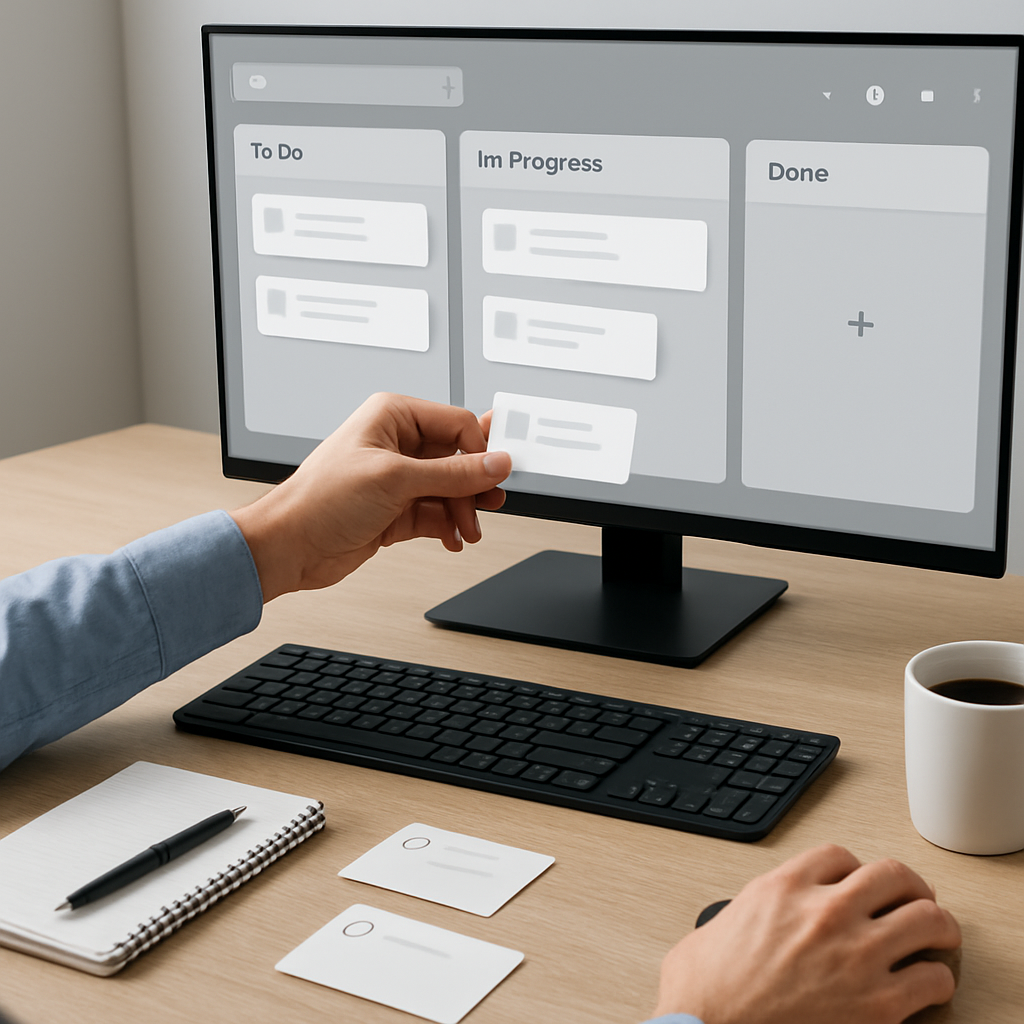
- Capture the work that needs attention today.
- Add due dates, reminders, or alarms where follow-up matters.
- Break larger items into subtasks.
- Add notes or comments so the context stays attached to the task.
- Use priorities and statuses to clarify what is urgent, in progress, or waiting.
- Attach files if the task depends on a document, image, or reference.
- Review the list at the start and end of the day.
This kind of routine can help teams keep daily work visible and easier to follow.
Why attachments, comments, and notes matter
A task often looks simple until someone needs the context behind it.
That is why notes, comments, and attachments are so useful. They reduce the need to search through old messages or ask for the same details again. In a small team, that can save time and prevent small misunderstandings from slowing the work down.
Task it All is built to keep those details connected to the task itself, so the work is not scattered across unrelated places.
Security and local-first work: what to know
For many users, task software is not only about convenience. It is also about how work data is handled.
Task it All includes a local-first security story that uses PBKDF2-HMAC-SHA256 for local login secrets and AES-GCM for encrypted local task data. In TEAM and cloud collaboration scenarios, access controls, database security policies, encrypted team keys, and audit controls are part of the design.
That said, no software should promise zero risk or absolute security. The goal is to support safer handling of everyday work data and controlled collaboration, not to claim perfect protection.
If security and local-first structure are important to your workflow, you may also want to read Task it All Local-First Security Explained: PBKDF2, AES-GCM, and Team Access Control for Small Teams.
Add-ons can extend the workflow when needed
Some teams start with the basics and later want more structure around execution.
Task it All can scale with add-ons such as:
- Process Manager
- Universal File Viewer
- Easy note
- Calculator
- Calendar
- Timeline
These add-ons are meant to support productivity workflows, not to make the workspace heavier than necessary. That makes it easier to choose only the tools you actually need.
Who this approach is best for
A desktop task manager can be a strong fit for people who want practical control over daily work.
Task it All may be a good fit for:
- small teams that want clear task ownership
- productivity users who prefer a desktop workspace
- founders who need both personal and team planning
- operations managers who track follow-up and accountability
- remote workers who want one place for daily execution
- consultants who manage multiple moving parts
Choosing the right starting point
Task it All includes Free, Teams, and Team Plus options, so users can start with personal work and expand as collaboration needs grow.
That progression can be useful if you want to keep the first setup simple and only add team features when the workflow actually needs them.
FAQ
### What is a desktop task manager?
A desktop task manager is software installed on your computer that helps you organize tasks, due dates, reminders, notes, and follow-up in one workspace.
### Why would a small team use one instead of multiple tools?
A small team may use one because it can reduce tool switching and keep task context, comments, and files closer to the work.
### Can Task it All help with personal and team planning?
Yes. Task it All is designed to start with personal productivity and scale into team collaboration when needed.
### Does Task it All replace project management or legal/compliance systems?
No. It is a task and productivity workspace, not a replacement for legal, accounting, or formal compliance systems.
### Is local-first the same as fully offline forever?
Not necessarily. Local-first means local work is a core part of the design. Collaboration and syncing behavior depend on the product mode and setup.
Final thoughts
If your team needs a practical way to keep daily work organized, a desktop task manager can make the workflow easier to follow without adding unnecessary complexity. Task it All is built to support personal planning, small team coordination, reminders, attachments, and clear execution in one local-first workspace.
If you want to get started, try Organize your team tasks and see whether a simpler desktop workflow fits the way your team works.