Team Collaboration
How to Build a Lightweight Task Workflow for Small Teams Without Losing Visibility
How to Build a Lightweight Task Workflow for Small Teams Without Losing Visibility
Small teams often hit the same problem: they want better organization, but they do not want a heavy system that slows daily work down.
A lightweight task workflow for small teams should be simple enough to use every day and structured enough to keep work visible when priorities, owners, and deadlines start moving. That balance matters even more when a team is growing and cannot rely on memory, chat threads, or scattered notes anymore.
Task it All is designed for exactly that middle ground. It starts with personal task organization and can expand into TEAM scope when shared visibility, assignments, comments, and operational follow-up become important.
If you want a practical way to keep work organized without creating extra process, this guide shows how to structure a lightweight workflow inside Task it All.
Why small teams struggle with task workflows
The issue is usually not a lack of effort. It is a lack of structure that still feels easy to maintain.
Small teams often deal with:
- tasks spread across chat, notes, and memory
- unclear ownership
- deadlines that live in different places
- follow-up that depends on manual reminders
- no simple record of comments or decisions
- too much complexity when trying to fix the problem
A good workflow should reduce that friction, not replace it with a bigger system.
What a lightweight task workflow should include
A lightweight task workflow for small teams does not need endless configuration. It needs a few practical elements that people can actually keep using:
- clear task titles
- subtasks for breaking work down
- due dates and reminders
- visible status flow
- comments close to the work
- assignment when the work becomes shared
- one place to review what is open, blocked, or due soon
Task it All brings those elements together in one desktop workflow with tasks, subtasks, notes, comments, due dates, alarms, priorities, attachments, and team collaboration when needed.
Start with a simple personal-to-team structure
One reason workflows become too heavy is that teams try to model everything at once.
A better approach is to begin with a small structure:
- Create the main task or project.
- Add the most important subtasks.
- Set due dates only where timing matters.
- Use statuses consistently.
- Add comments only when context or follow-up is needed.
- Move into TEAM scope when the work needs shared visibility.
This works well in Task it All because the product can support both personal planning and shared team execution in the same environment.
For an individual user, the Free plan can cover personal tasks, subtasks, notes, comments, attachments, reminders, and secure local storage. When the workflow becomes collaborative, Teams adds shared workspace access, assignment flows, synchronization, and basic operational audit.
Use statuses to reduce confusion
A lightweight workflow becomes clearer when everyone understands what each status means.
Instead of creating too many categories, keep it operational. For example:
- To do
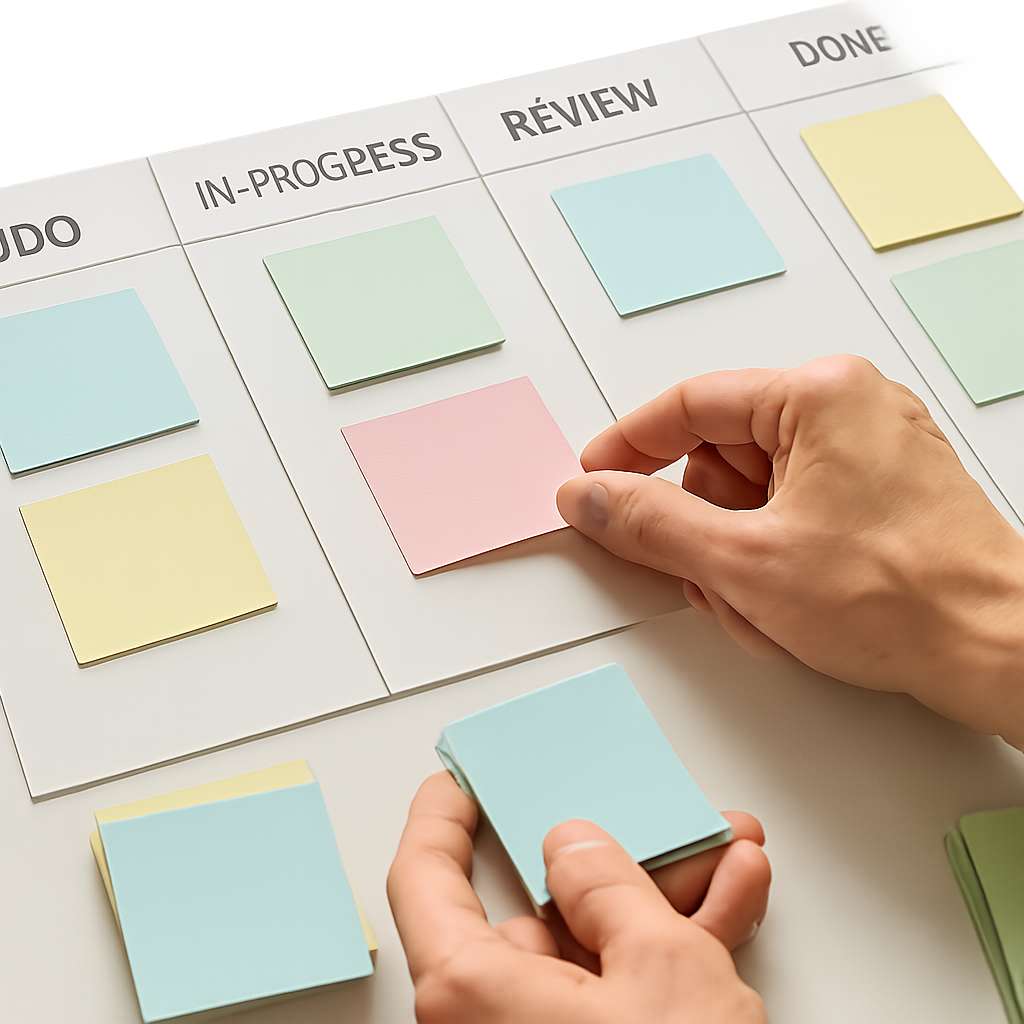
- In progress
- Waiting or blocked
- Done
The point is not to build a perfect methodology. The point is to make open work visible and easy to review.
In Task it All, statuses sit close to the rest of the task context, so teams can review progress without switching between separate tools for execution, notes, and collaboration.
Break larger work into subtasks
Small teams lose visibility when a task is too broad.
If a task includes planning, execution, review, and handoff, the team may see one line item while the real work is happening in several stages. Subtasks make that structure visible without turning the workflow into a complicated project management system.
Use subtasks when:
- one task has multiple clear steps
- different people contribute to the same outcome
- you need to track progress before the final result is complete
- the parent task should stay high-level but the daily work needs more detail
Task it All supports nested task structure so teams can keep the main objective visible while still working through smaller execution steps.
Keep comments attached to the work
One major reason workflows feel messy is that decisions happen in chat while the task remains empty.
When comments stay attached to the task, the team can see:
- what changed
- who raised a concern
- what was agreed
- what needs follow-up
Task it All supports comments and mentions as part of the workflow, which helps keep discussion closer to the work item instead of buried in a separate conversation stream.
That can be especially useful for small teams that need traceability without adopting a formal enterprise process.
Add reminders and due dates only where they help
Not every task needs a deadline. When everything is urgent, nothing is clear.
A lightweight system works better when due dates and reminders are used intentionally:
- set due dates for real commitments
- use reminders for work that should not be missed
- avoid assigning dates just to make the list look structured
Task it All includes due dates, alarms, and reminders so teams can surface time-sensitive work without overloading the workflow.
Move into shared team visibility when needed
Some tools force collaboration from the start. Others stay too personal and become hard to scale.
Task it All is useful here because it starts with a local-first desktop base and can expand into TEAM scope when work becomes shared.
That allows a small team to:
- start with personal organization
- add shared team spaces later
- assign work when coordination matters
- keep comments and visibility inside the same workflow
- support follow-up with synchronization and notifications
This is often a better fit for founders and small teams that want structure, but do not want to adopt an oversized system on day one.
Keep teams separated without mixing workflows
If one company has multiple functions or project groups, a lightweight workflow can still become messy if everything is mixed together.
Task it All supports creating and managing multiple teams inside the same company context, which helps maintain separation by:
- department
- project group
- function
- operating model
That matters because visibility is helpful only when it stays relevant. Too much unrelated work in one shared space creates noise instead of clarity.
Related reading: How to Organize Personal Tasks and Small Team Work in One App Without Creating More Complexity
Use notifications carefully
Notifications should help the team notice important changes, not create more interruption.
Task it All can show new assignments with an icon counter, sound alerts, and visible notices, while notification behavior remains configurable.
A simple rule is to use notifications for:
- new assignments
- urgent follow-up
- important changes in shared work
Avoid turning every small update into an alert. A lightweight workflow stays effective when attention is directed to what actually matters.
Why local-first can support a simpler workflow
For many small teams, speed and reliability matter as much as features.
Task it All is a local-first desktop app, which helps keep the experience responsive for daily use before or alongside collaboration layers. The product also describes protected local data foundations and team/cloud protection through permission checks, encrypted team keys, database security policies, and audit controls.
For users who care about practical data safety, Task it All states that local login secrets are protected with PBKDF2-HMAC-SHA256 and local task data uses AES-GCM encryption.
That does not make the workflow more complicated for users, but it can help support a more confident daily working environment.
A simple rollout plan for small teams
If you want to introduce a lightweight task workflow without overwhelming the team, keep rollout simple.
Week 1: Standardize the basics
Ask everyone to use:
- task titles
- statuses
- due dates only when necessary
- comments for context
- subtasks for multi-step work
Week 2: Add shared visibility
Start using TEAM scope for work that involves:
- assignments
- collaboration
- shared follow-up
- cross-person visibility
Week 3: Review what is actually helping
Check:
- whether tasks are being updated consistently
- whether comments are replacing scattered follow-up
- whether subtasks are improving clarity
- whether notifications are useful or noisy
This gradual model is often easier to adopt than forcing a fully built system all at once.
Use the built-in onboarding to get started faster
Task it All includes guided onboarding through Be more productive -> Tutorial -> Basic steps.
That in-app tutorial helps a new user:
- create a real task or project
- practice core task fields
- add comments
- create a subtask
- understand the basic daily workflow
For small teams, this can make adoption easier because the first experience is practical rather than abstract.
Related reading: How to Use Task it All for Daily Planning Without Making Your Workflow Heavier
When to stay simple and when to upgrade
A lightweight workflow does not mean staying limited forever. It means using only the level of structure the team currently needs.
A common progression looks like this:
- Free for personal work, secure local use, and day-to-day planning
- Teams for shared workspace access, collaboration, assignments, synchronization, and basic operational audit
- Team Plus for add-ons, advanced collaboration, premium governance, and deeper audit coverage
That upgrade path can help teams avoid overcommitting too early while still leaving room to grow.
FAQ
What is a lightweight task workflow for small teams?
It is a simple way to organize daily work using a few core elements such as tasks, subtasks, statuses, due dates, reminders, comments, and shared visibility without building a heavy process.
Can Task it All work for both personal tasks and team work?
Yes. Task it All starts with personal task organization and can expand into TEAM scope for shared visibility, assignments, comments, and team coordination.
Does Task it All support comments and subtasks?
Yes. The product supports tasks, subtasks, notes, comments, links, attachments, reminders, due dates, priorities, and status-based workflow organization.
Is Task it All suitable for small teams with multiple departments?
It can be useful for that scenario because it supports creating and managing multiple teams inside the same company context, helping keep workflows separated.
Does the app include onboarding for new users?
Yes. Task it All includes an in-app onboarding path at Be more productive -> Tutorial -> Basic steps, which helps users create a real task, use core fields, add comments, and create a subtask.
Is Task it All only for cloud collaboration?
No. It is described as a local-first desktop app. Users can start with secure local work and expand into team and cloud collaboration when needed.
Final takeaway
The best lightweight task workflow for small teams is usually not the most advanced one. It is the one people will actually use every day.
If your team needs a practical structure for tasks, subtasks, comments, reminders, and shared visibility without jumping straight into unnecessary complexity, Task it All offers a path that starts small and expands when the work demands it.
Ready to simplify daily coordination? Organize your team tasks