AI Productivity Assistant
How a Windows AI Assistant Can Speed Up Everyday Writing, Translation, and Task Capture
How a Windows AI Assistant Can Speed Up Everyday Writing, Translation, and Task Capture
If your workday involves copying text between notes, email, documents, and browser tabs, a Windows AI assistant can reduce a lot of small but constant friction. Instead of opening a separate AI tool for every rewrite or summary, you can stay close to the text you are already working on and trigger a focused action when you need it.
Flytivy AI Assistance is built for that kind of desktop workflow. It is designed to support quick actions like rewriting, summarizing, translating, drafting emails, and turning ideas into tasks without turning your screen into a full AI workspace.
Why a Windows AI assistant matters for daily work
Most productivity loss does not come from one big task. It comes from repeated context switching:
- reading a message and opening another app to rewrite it
- copying notes into a separate tool to summarize them
- translating text in one window and pasting it into another
- capturing a task idea before it gets lost
- adjusting tone for a client email or internal update
A Windows AI assistant can help by making these actions available at the desktop level, where the work already happens. That means less jumping around and more finishing small tasks before they pile up.
Common situations where AI actions help
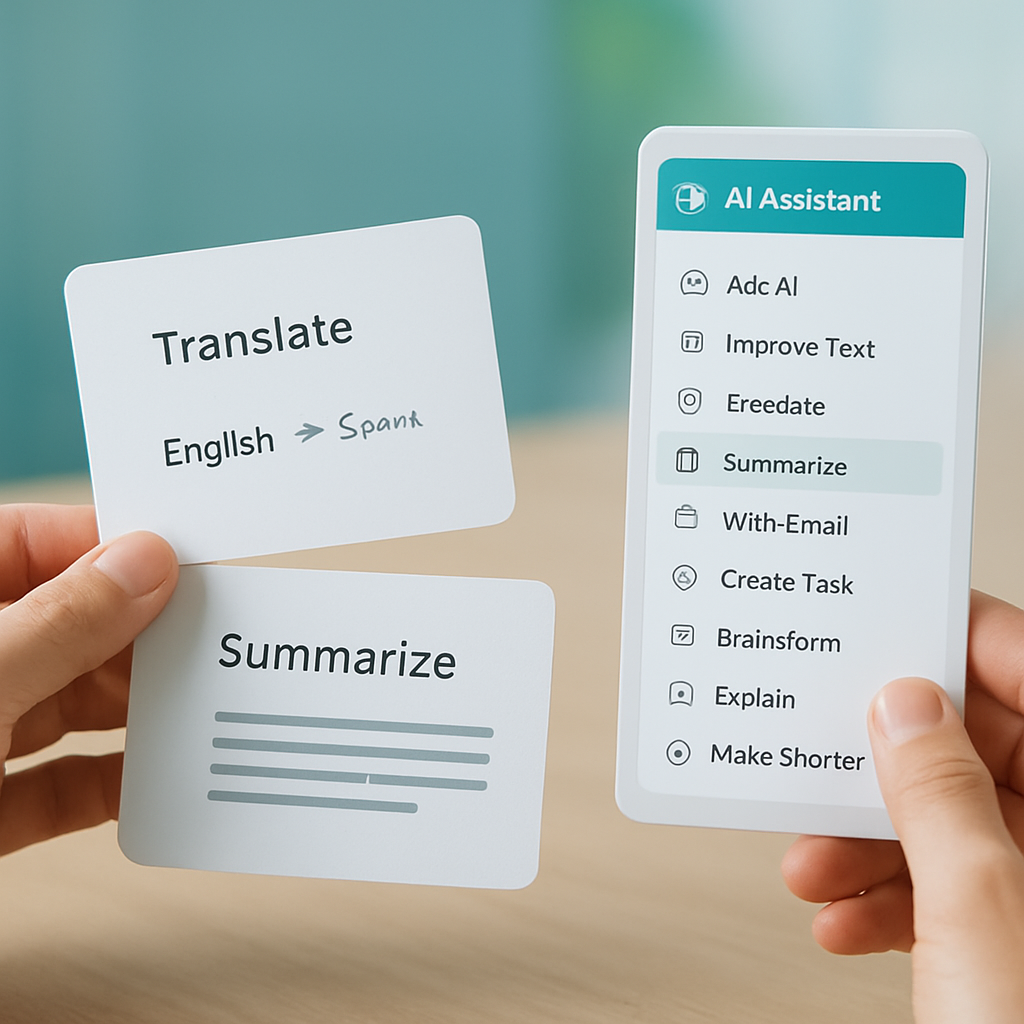
Flytivy AI Assistance focuses on practical actions that support everyday writing and communication. Examples include:
- Ask AI when you need a quick response or explanation
- Improve Text to clean up phrasing and structure
- Translate to adapt a message into another language
- Summarize long notes, articles, or copied text
- Write Email to draft a reply or first version
- Create Task to turn a thought into something actionable
- Brainstorm to generate ideas when you are stuck
- Explain to simplify a complex paragraph
- Make Shorter to trim long text
- Professional tone to make a message sound more polished
These actions are most useful when they are fast, repeatable, and easy to use from the desktop.
How Flytivy fits a desktop workflow
Flytivy AI Assistance is a compact Windows app built to stay close to your actual workflow. You can paste text, choose an action, adjust the tone or language, copy the result, and return to work without opening a larger AI suite.
The app includes workflow options such as:
- expanded and bubble/widget modes
- editable output
- copy and replace original actions
- regenerate when you want a different version
- save note for later reference
- shorten and translate tools
- local history
- clipboard import
- contextual hotkeys
- model and theme settings
- company and custom instructions
- clear credit-based usage
This setup is useful for solo professionals, support teams, sales teams, content operators, remote workers, and other Windows productivity users who want quick help without changing tools every time.
Writing and editing tasks you can handle faster
A Windows AI assistant is especially helpful when you need to improve text without starting from scratch. For example:
- polish a rough draft before sending it
- make a paragraph shorter and easier to scan
- rewrite a message to sound more professional
- simplify a technical explanation for a wider audience
- brainstorm subject lines, callouts, or short content variations
For content operators and small business owners, this can be useful when handling repetitive writing tasks that still need a human review before sending.
Email and communication support
Email often becomes a bottleneck because the message needs to be clear, concise, and appropriate for the audience. A quick AI action can help prepare a first draft or rewrite a response in a better tone.
Flytivy includes a Write Email action and tone controls that can support tasks like:
- replying to a customer
- following up on a lead
- clarifying a support response
- making a message more professional
- shortening a long internal update
This does not replace review or judgment, but it can help you get to a usable draft faster.
Translation and summarization without leaving the desktop
If you work across languages or deal with long blocks of text, translation and summarization can save time throughout the day. Instead of switching to a separate translation tool or copying a document into another app, you can use one of the focused actions in Flytivy and keep moving.
This is useful for:
- translating short messages
- summarizing long notes or copied content
- turning a dense paragraph into a shorter version
- preparing text for a teammate or client in another language
If you want a deeper look at clipboard-driven workflows, see How to Use an AI Clipboard Assistant in Windows to Rewrite, Summarize, and Translate Without Switching Apps.
Credit-based usage and plan differences
Flytivy uses clear credit-based usage so you can understand what is available in each plan.
- Free provides a quick trial with 10 AI actions
- Pro adds 500 monthly AI actions, conversation history, Clipboard AI and shortcuts, custom prompts, and image analysis
- Ultimate adds 1200 monthly AI actions, Document assistant, and export responses
This structure is meant to make usage easy to track. It is not unlimited, and it is not positioned as a replacement for human review when accuracy matters.
Security and product design notes
Flytivy AI Assistance is built with a desktop-first architecture that uses modern Windows technologies and a server-side approach for production AI calls. The product is designed so OpenAI keys stay server-side through Supabase Edge Functions rather than shipping secret keys inside the Windows app.
That design choice supports a safer deployment model for the application, while keeping the user experience focused on quick actions and a compact interface.
When this kind of tool is the best fit
A Windows AI assistant is a good fit if you:
- work mostly in Windows
- handle a lot of copied text throughout the day
- want quick rewrite, summarize, and translate actions
- need faster email drafting and task capture
- prefer a lightweight assistant instead of a large AI workspace
If your work is highly repetitive, response-driven, or communication-heavy, a compact assistant can be easier to keep open and use often.
Get started with Flytivy
If you want a compact Windows assistant for writing, translation, summaries, email drafts, and task capture, you can Get Flytivy AI Assistance and try the quick actions in your own workflow.
FAQ
### What is a Windows AI assistant?
A Windows AI assistant is a desktop tool that helps you perform small writing and text tasks faster, such as rewriting, summarizing, translating, or drafting messages, without switching to a separate full-screen AI app.
### Is Flytivy only for writing tasks?
No. Flytivy also supports actions like creating tasks, brainstorming, explaining text, and adjusting tone. It is designed around quick desktop actions, not only writing.
### Does Flytivy include unlimited AI use?
No. Flytivy uses credit-based usage and plan limits. Free, Pro, and Ultimate each include different levels of AI actions.
### Can Flytivy replace human review?
No. It can help you draft, summarize, translate, and edit faster, but final review is still important, especially for customer communication or sensitive content.
### What is the difference between Pro and Ultimate?
Pro includes 500 monthly AI actions, conversation history, Clipboard AI and shortcuts, custom prompts, and image analysis. Ultimate includes 1200 monthly AI actions, Document assistant, and export responses.