Prepare private memory from local folders without forcing document sync.
AI knowledge vault for desktop
Private AI memory for the work you save.
Choose folders, PDFs, notes, and ideas. Flytivy organizes them into a searchable local-first vault you can ask, review, and reuse without losing control.
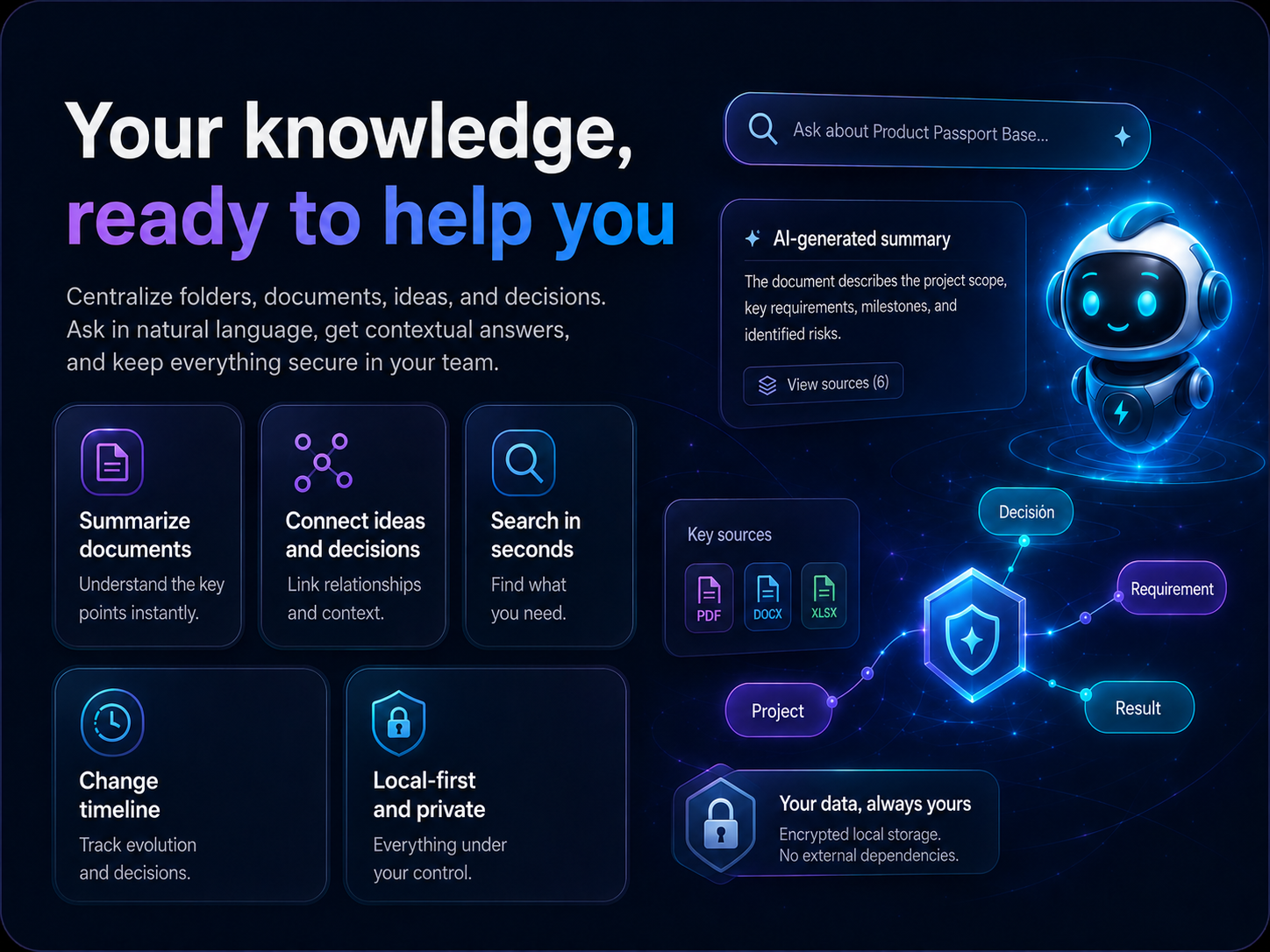
Ask your vault for decisions, notes, contracts and context in seconds.
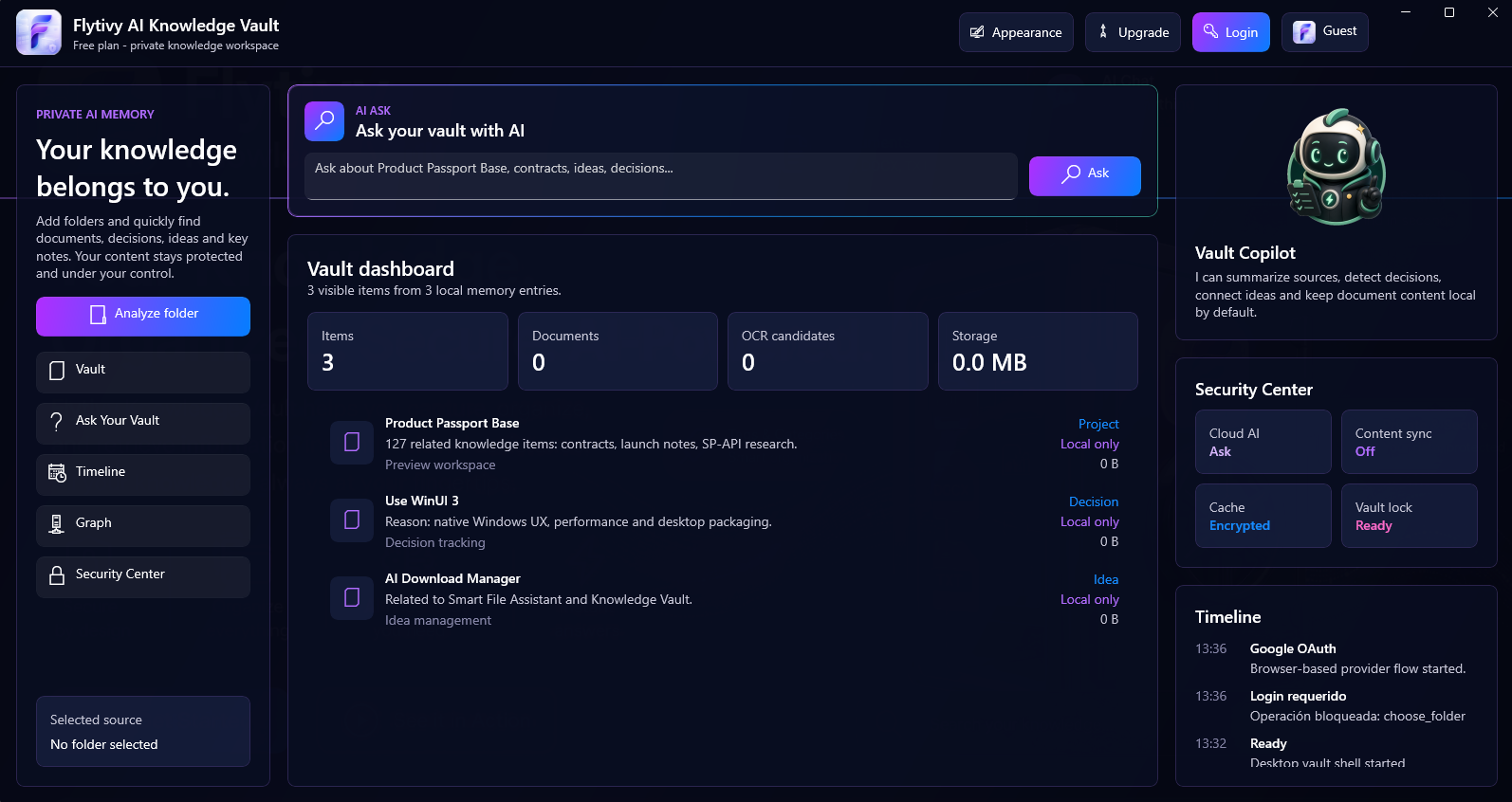
Dashboard, timeline, security center and onboarding in one desktop app.
How it works
From scattered folders to searchable memory.
Analyze a folder
Choose a local source and let Flytivy prepare names, types and useful metadata with a clear progress flow.
Ask with AI
Use the dedicated AI Ask panel to find useful matches, context and relationships without opening ten folders.
Keep control
Security states, account actions and appearance settings stay visible without exposing unnecessary technical noise.
Real desktop screens
A polished native workspace, not another browser tab.
The current app experience includes the premium AI Ask module, bilingual UI, private memory dashboard and security center.
Privacy as product
Designed so users understand what happens.
Flytivy Knowledge Vault starts free, asks for login only when protected actions need it, and keeps document content local by default.
Google or email login
Bilingual onboarding
Tray-friendly desktop behavior
Telemetry-ready product metrics
Flytivy Knowledge Vault
Give every folder a memory layer.
Organize your folders and find answers from your files in one Windows app.
Get it on Microsoft Store